August 20, 2026 · By ChefExtract Team
Best App to Save Pinterest Recipes (2026)
Pinterest pins are not cookbooks. These are the best apps to save Pinterest recipes as structured, searchable entries on your iPhone — with ingredients, steps, and offline access.
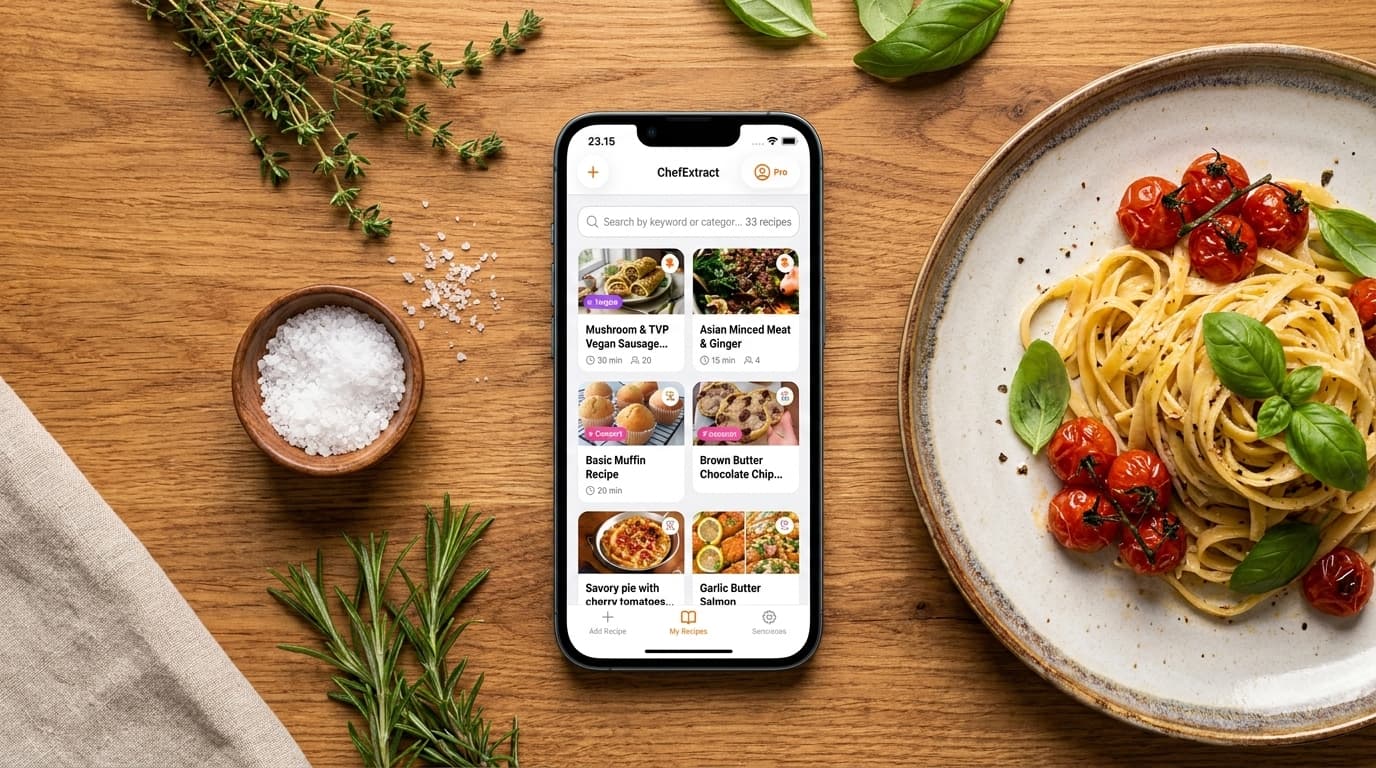
You need an app to save Pinterest recipes because Pinterest itself only bookmarks pins. It does not give you a searchable ingredient list, offline cooking access, or a way to find "that chickpea pasta" six months later without opening fifteen boards.
The apps in this guide turn Pinterest pins into real recipes — structured ingredients, numbered steps, saved on your phone — so you can cook without reopening Pinterest or wading through a food blog.
What a Pinterest recipe app actually needs to do
Pinterest recipe saving is different from Instagram or TikTok extraction. Most pins link to external food blogs, not to video content on Pinterest itself. A good app should:
- Follow the pin to the source and extract from the recipe website (where the structured data usually lives)
- Handle Idea Pins when the recipe lives inside Pinterest's slideshow format
- Store recipes offline on your phone for kitchen use
- Keep a link back to the original pin or source for creator credit
- Work on iPhone with minimal copy-paste friction
The quality gap between apps shows up most on Idea Pins and pins linking to poorly formatted blogs.
Apps compared
ChefExtract — best overall for Pinterest on iPhone
ChefExtract follows a Pinterest pin link to the original recipe source — food blog, video, or other site — and extracts structured ingredients and steps. For standard pins linking to WordPress recipe blogs, extraction is typically very clean because those sites use structured recipe markup.
Workflow on iPhone:
- Copy the Pinterest pin link (or the food blog URL after tapping Visit).
- Open ChefExtract — clipboard detection picks up the link.
- Tap Extract → Save.
Strengths:
- Strong extraction from linked recipe blogs (the most common Pinterest pin type)
- Offline cookbook — recipes work without wifi in the kitchen
- Same app for Pinterest, Instagram, TikTok, YouTube, Facebook, and recipe websites
- Fully editable output — fix anything the AI missed in seconds
- Free tier to evaluate the workflow before subscribing
Limitations:
- No web app or desktop version
- Idea Pins with fragmented slideshow content are harder (true for most apps)
- No meal planning calendar or nutrition tracking


Step-by-step guides: how to save Pinterest recipes on iPhone · full Pinterest workflow
ReciMe — best if you want Pinterest plus meal planning
ReciMe imports from Pinterest and includes meal planning, nutrition tracking, and aisle-organized grocery lists. If saving Pinterest recipes is one step in a larger "plan → shop → cook → track" workflow, ReciMe covers more ground.
Strengths:
- Pinterest import built in
- Meal planning calendar
- Nutrition and macro tracking
- Available on iOS and Android
- Grocery lists organized by supermarket aisle
Limitations:
- $59.99/year for full access; free tier capped at 5 recipes
- Cloud-based storage — recipes need connectivity (or recent cache) to access
- More app than you need if you just want a Pinterest cookbook
For a side-by-side walkthrough of both apps on the same pin, see save Pinterest recipes with ChefExtract and ReciMe.
Paprika — best for manual import from food blogs
Paprika is a classic recipe manager. It does not extract from Pinterest pins directly — you import from the food blog URL after tapping Visit on the pin. Excellent for users who prefer manual control and browser-based importing.
Strengths:
- Mature recipe organization (categories, tags, meal plans)
- Clean cooking view
- One-time purchase (no subscription)
- iOS, Android, Mac, Windows
Limitations:
- No AI extraction from Pinterest pins or social video
- Manual import workflow — more steps than ChefExtract or ReciMe
- No social media video extraction (Instagram, TikTok)
Pinterest's built-in Save — what it is actually for
Pinterest Save is a bookmark. Useful for discovery and mood-boarding. Not a recipe app. You cannot search saved pins by ingredient, cook offline, or get structured steps without leaving Pinterest.
If you have hundreds of saved pins, the practical move is not importing all of them — it is saving new recipes the right way going forward.
How to pick the right app
You want the fastest path from Pinterest pin to offline cookbook on iPhone: ChefExtract. Copy link, extract, save. Free to start.
You want Pinterest saving inside a full meal management system: ReciMe at $59.99/year.
You prefer manual import and one-time purchase: Paprika after tapping through to the food blog.
You just want to remember pins to look at later: Pinterest Save is fine. Just know it is not cooking infrastructure.
What about Idea Pins?
Idea Pins host recipe content as slideshows on Pinterest rather than linking out. Extraction quality varies across all apps. When an Idea Pin fails:
- Find the same recipe on the creator's blog or Instagram
- Extract from there instead
- Use partial extraction as a starting point and edit manually
Our how do you save recipes on Pinterest guide covers pin types in detail.
The bottom line
The best app to save Pinterest recipes depends on what happens after you save. If you want a clean, offline cookbook on iPhone with minimal friction, ChefExtract is the strongest starting point. If you need meal planning and nutrition on top, ReciMe is the fuller package at a higher price.
Either way, the upgrade from "pin on a board" to "recipe in a cookbook" is worth making the first time you cook without reopening Pinterest.
For head-to-head comparisons with other apps, see ChefExtract vs. ReciMe and ChefExtract vs. Paprika.
Try ChefExtract free
Save your first recipe in seconds. No account required.